

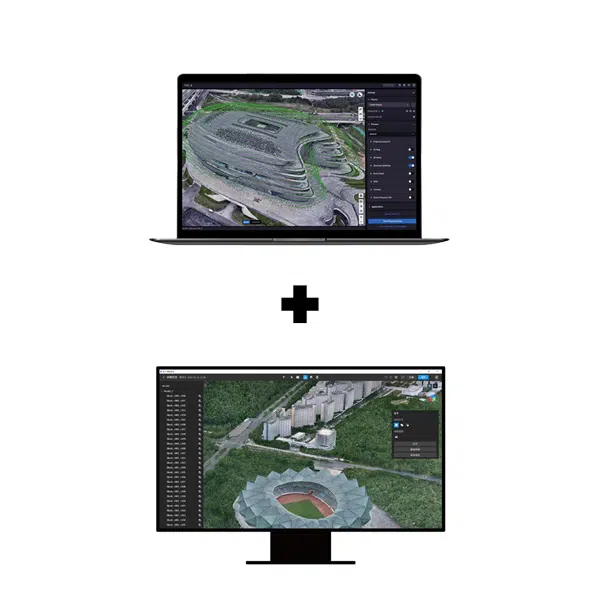


Terra Standard + Modify Flagship · Permanent bundle · Online authorization
DJI Terra Standard + Modify Flagship Permanent: reconstruct, refine and deliver
This permanent bundle combines DJI Terra Standard for reconstruction with DJI Modify Flagship for editing supported 3D results. Choose it when your recurring workflow includes both processing the source data and preparing the reconstructed output for handover.
Plan the required deliverables, application versions and workstation before purchase. Our DJI Terra License Guide explains the Terra editions and license options.
Two applications with different roles
DJI Terra Standard
Reconstruct 2D maps, textured 3D meshes and point clouds from suitable data. Process supported DJI LiDAR and multispectral datasets for the intended mapping workflow.
DJI Modify Flagship
Refine supported meshes and point clouds after reconstruction. Its editing tools help prepare results for review, visualization and delivery.
Choose each edition around the required capability
The included editions are Terra Standard and Modify Flagship. If your Terra workflow requires Gaussian Splatting or Electricity Application, compare the Terra Flagship + Modify Flagship Permanent bundle.
Bundle and license details
| Product | DJI Terra Standard + Modify Flagship Permanent |
|---|---|
| Included applications | DJI Terra Standard and DJI Modify Flagship |
| Term | Permanent bundle with perpetual entitlements |
| Authorization | Online; plan a stable internet connection for use |
| Workstation binding | Both applications in the bundle must be bound to the same computer |
| Setup | Install both applications and complete their activation and binding instructions |
| Delivery | Electronic delivery of license information by email |
| Estimated release | 1–2 hours on business days after payment confirmation and receipt of the required details |
| Currency and invoice | USD; invoice supplied by Drone Emotions |
The current price and applicable tax information appear in the purchase area and checkout. See our Terms of Sale for ordering and delivery conditions.
A practical reconstruction-to-editing workflow
- Define the handover. Agree the required mesh or point-cloud deliverable, receiving application and acceptance checks.
- Prepare and reconstruct in Terra. Review the imagery or sensor dataset, coordinate reference and processing settings.
- Check the reconstruction. Identify areas that need editing and retain a record of the original results.
- Refine supported outputs in Modify. Apply the appropriate mesh or point-cloud tools and review the edited result.
- Validate the export. Open the deliverable in the recipient’s application and confirm that it meets the agreed requirements.
Test the complete workflow on a representative dataset before starting a large production project. DJI describes the interaction between the applications on the official DJI Modify page.
What does Modify add?
Mesh cleanup and repair
Tools include floating-part removal, hole filling, surface flattening, texture repair and water-surface repair. Choose edits around the purpose of the delivered model.
Point-cloud refinement
Tools include smoothing, noise reduction, downsampling and classification. Review how each operation affects the result needed by the receiving team.
Terrain preparation
Modify supports terrain-result generation from point-cloud workflows. Confirm the required deliverable and check it in the intended downstream application.
Export and handover
Mesh and point-cloud export options support delivery to compatible applications. Agree the required format and test it before committing to a production workflow.
Review edits against the project purpose
Keep the original reconstruction and record the areas changed. A presentation model and a survey deliverable may have different acceptance criteria. Confirm any geometry edits with the responsible project team before handover.
Check compatibility before processing
DJI specifies visible-light meshes reconstructed in Terra V4.0.0 or later for Modify’s mesh-editing workflow. Check the current application versions and data requirements for the task you intend to perform.
Keep the project structure consistent when moving from Terra to Modify. DJI’s FAQ cautions against renaming or moving Terra reconstruction results after creating a Modify project. Prepare storage and backup arrangements before production.
Review the official DJI Modify FAQ for compatibility and workflow details. For point clouds, confirm the intended input, classification and export requirements separately.
Plan Terra mapping alongside the 3D workflow
Define the area, ground resolution, coordinate reference and expected mapping outputs before acquisition. Keep the processing plan consistent with the data needed for the wider project.
Our DJI Terra Features page explains the reconstruction workflows. Use the Accuracy, GCP & RTK Guide to prepare questions about control and independent verification.

Prepare a 3D result the recipient can use
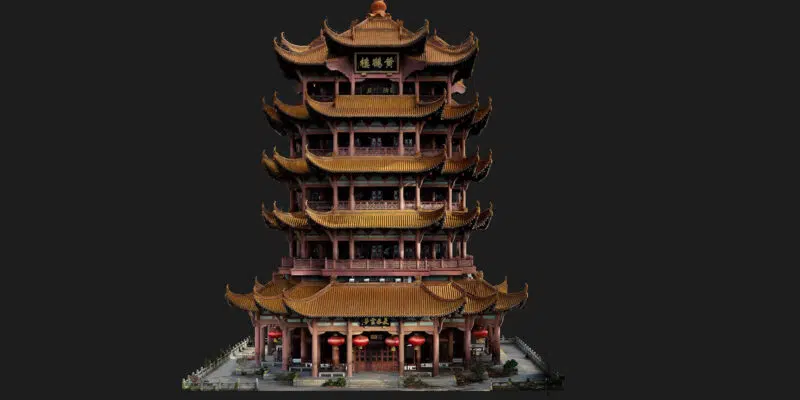
Agree the detail, format and review process before reconstructing the full dataset. Use a test result to confirm the receiving application’s requirements and the scope of any editing.
Prepare one workstation for both applications
DJI requires Terra and Modify in the bundle to be bound to the same computer. Select that workstation before activation and review any planned change with us before purchase. See DJI's published bundle-binding condition.
Check the requirements of both programs. Plan a supported Windows and NVIDIA configuration with enough RAM, graphics memory and storage for reconstruction and editing. Check Modify’s current requirements in its official FAQ.
- System Requirements & WorkstationsPlan Terra capacity and review the separate Modify requirements.
- Supported Drones & SensorsCheck equipment and the required Terra version.
- Installation & Activation GuidePrepare Terra activation and follow the supplied bundle instructions.
- Accuracy, GCP & RTKDefine control and independent result checks.
Order and receive your bundle
Select the quantity and use the purchase button on this page. Enter the billing information and select an available payment method. The automated order-confirmation email constitutes acceptance of the order by Drone Emotions.
Estimated email delivery is 1–2 hours on business days after payment confirmation and receipt of the required details. Orders received on non-business days are processed on the next business day. Payment clearance, incomplete information or availability can affect this estimate.
Follow the supplied instructions for both applications. Keep the invoice and licensing correspondence. Contact us before purchase if you have existing licenses, a planned hardware change or a fixed deployment deadline.
Watch a Terra reconstruction example
This short video illustrates a DJI Terra reconstruction. Visit our DJI Terra Video Tutorials for additional learning resources.
Questions about the permanent bundle
Which editions are included?
DJI Terra Standard and DJI Modify Flagship. The edition names refer to their respective applications.
Is this an annual product?
No. This listing is the permanent bundle with perpetual entitlements.
Can Terra and Modify be bound to different computers?
DJI’s bundle rule requires both to be bound to the same computer. Confirm your deployment arrangement before activation.
Does Modify require internet?
Yes. DJI states that Modify needs a continuous network connection during use. This bundle uses online authorization.
What if I need Terra Flagship capabilities?
Compare the Terra Flagship + Modify Flagship bundle linked above and describe your required workflow if you need help choosing.
Can Modify edit meshes from any modeling software?
DJI specifies compatible visible-light meshes reconstructed with Terra V4.0.0 or later. Verify the intended workflow against the current Modify documentation.
Where do I get the installers?
Use our Terra Download page and the official DJI Modify downloads. Follow the supplied activation instructions for each program.
Should I buy this if I only need reconstruction?
Compare Terra Standard Permanent and select the products around the editing work you expect to perform.
Confirm your reconstruction and editing setup
Tell us your sensor, dataset size, intended deliverables and workstation details. Include any existing Terra or Modify licenses so we can help you review the purchase or prepare a company quotation.
