

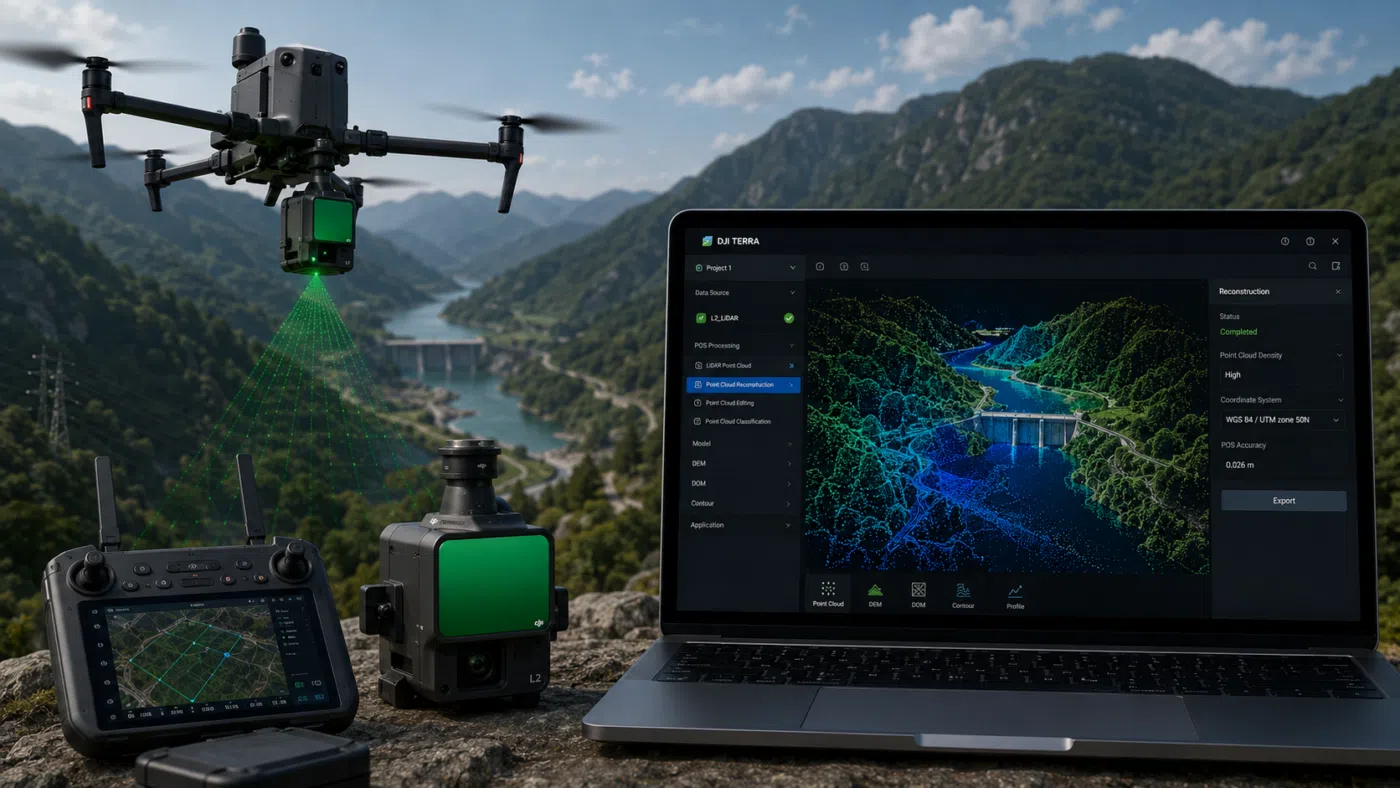
DJI Terra and Zenmuse L2 create one of the most practical LiDAR workflows available for drone surveying professionals. For surveyors, engineers, construction companies, forestry teams, mining operators and infrastructure inspection specialists, the combination of a DJI Enterprise drone, Zenmuse L2 and DJI Terra can transform aerial data capture into a complete 3D point cloud processing workflow.
LiDAR is becoming increasingly important in professional drone mapping because it can capture dense 3D information even in complex environments where traditional photogrammetry may be limited. Vegetation, irregular terrain, powerline corridors, quarries, roads, infrastructure sites and construction areas can all benefit from LiDAR-based data acquisition.
Zenmuse L2 integrates a frame-based LiDAR, a high-accuracy IMU system and a 4/3 CMOS RGB mapping camera. When used with DJI Terra, it provides a complete workflow for 3D data collection and high-accuracy post-processing. This makes the system especially attractive for surveyors who need point clouds, terrain models, DEM outputs and professional deliverables from drone-based LiDAR missions.
In this guide, we explain the complete DJI Terra and Zenmuse L2 LiDAR workflow for surveying, from mission planning and field data capture to point cloud reconstruction, quality control, classification and export.
What Is Zenmuse L2?
Zenmuse L2 is DJI’s integrated aerial LiDAR payload designed for professional geospatial data acquisition. It combines three key components in one stabilized payload: a LiDAR module, a high-accuracy IMU and an RGB mapping camera with a 4/3 CMOS sensor.
This combination allows the payload to collect both laser-based 3D data and visual imagery during the same mission. The LiDAR module captures point cloud data, while the RGB camera can support colorization and visual context. The integrated IMU helps support accurate positioning and orientation of the collected data.
For surveyors, the key value of Zenmuse L2 is that it offers a more integrated and field-ready LiDAR solution. Instead of building a custom LiDAR system with separate sensors and complex calibration workflows, users can work inside the DJI Enterprise ecosystem and process the data in DJI Terra.
What Is DJI Terra in a LiDAR Workflow?
DJI Terra is DJI’s professional software for mapping, 2D reconstruction, 3D reconstruction, LiDAR point cloud processing and model generation. In a Zenmuse L2 workflow, DJI Terra is the post-processing environment where the raw LiDAR mission data becomes usable point cloud outputs and terrain deliverables.
DJI Terra can process data collected by DJI LiDAR systems and generate 3D point cloud models. According to DJI support documentation, DJI Terra LiDAR Point Cloud Reconstruction supports data collected by Zenmuse L1 and Zenmuse L2, and can generate 3D point clouds in LAS format for use in surveying or power industry applications.
The basic LiDAR processing workflow in DJI Terra is simple in concept: import data, set relevant parameters and start reconstruction. However, for professional surveying, each stage requires careful planning, quality control and correct output management.
Why Use LiDAR Instead of Photogrammetry?
Photogrammetry reconstructs 3D geometry from overlapping images. It is excellent for many drone mapping projects, especially when surfaces are visible, textured and well captured by the camera. However, photogrammetry can struggle in certain conditions.
LiDAR uses laser pulses to measure distances and build a 3D point cloud. This can be especially useful when working with vegetation, complex terrain, low-texture surfaces, corridors, powerlines or structures where geometry is difficult to reconstruct from images alone.
For surveyors, LiDAR can be useful because it can capture reliable 3D spatial data in environments where image-based reconstruction may not produce enough ground detail. For example, in forested areas, LiDAR can help capture ground points beneath vegetation more effectively than standard photogrammetry.
Best Surveying Use Cases for DJI Terra and Zenmuse L2
The DJI Terra and Zenmuse L2 workflow is especially useful for projects that require dense 3D data, terrain extraction or detailed point cloud deliverables.
1. Topographic Surveying
Topographic surveys require accurate terrain representation. Zenmuse L2 can collect dense point cloud data, while DJI Terra can process the dataset and support terrain-related outputs. This makes the workflow useful for land development, engineering planning and environmental documentation.
2. Forestry and Vegetation Mapping
LiDAR is highly valuable in forestry because it can capture vertical structure and support ground point extraction beneath vegetation. For forestry teams, this can help with terrain modeling, canopy analysis, biomass-related studies and forest management projects.
3. Powerline and Utility Corridor Mapping
Powerlines, poles, transmission corridors and utility infrastructure are strong use cases for aerial LiDAR. Point clouds can represent linear assets and surrounding terrain in 3D, supporting inspection, clearance analysis and corridor documentation.
4. Road and Railway Corridor Surveys
Corridor mapping often involves long, narrow areas with changing terrain, vegetation and infrastructure. A LiDAR drone workflow can help capture consistent 3D data along roads, railways, pipelines and utility corridors.
5. Mining and Quarry Surveys
Quarries and mining sites require frequent terrain updates, stockpile monitoring and slope documentation. DJI Terra and Zenmuse L2 can support dense 3D site documentation and terrain-based deliverables for operational planning.
6. Construction and Infrastructure Projects
Construction sites, bridges, earthworks and infrastructure corridors can benefit from repeatable LiDAR data capture. The resulting point clouds can support progress documentation, terrain comparison and digital twin-style workflows.
Complete DJI Terra and Zenmuse L2 Workflow
A professional LiDAR workflow includes several stages. The quality of the final point cloud depends not only on the sensor, but also on mission planning, flight execution, data organization, processing settings and quality control.
Step 1: Define the Survey Objective
Before flying, define the purpose of the survey. This may sound basic, but it is one of the most important steps. A LiDAR mission for forestry is different from a mission for road mapping, powerline inspection or quarry monitoring.
Clarify the following before planning the flight:
- What is the final deliverable?
- Do you need a classified point cloud?
- Do you need a DEM, DSM or contour lines?
- Do you need colorized point clouds?
- What coordinate system is required?
- What accuracy level is expected?
- Will the data be used in GIS, CAD or point cloud analysis software?
These decisions influence flight altitude, overlap, scan settings, control strategy and processing workflow.
Step 2: Plan the LiDAR Mission
Mission planning is critical for LiDAR surveying. A well-planned mission ensures proper coverage, suitable point density and consistent data quality.
Important mission planning parameters include:
- Flight altitude: Affects point density, coverage width and data resolution.
- Flight speed: Influences point spacing and data quality.
- Flight line overlap: Helps avoid gaps and supports better coverage.
- Scan angle and pattern: Important for capturing vertical and complex structures.
- Terrain variation: Steep or irregular terrain may require adjusted planning.
- Vegetation density: Forested areas may require mission settings optimized for ground returns.
- Control points or checkpoints: Needed for accuracy validation where required.
For surveying applications, it is usually better to plan for consistency rather than speed alone. A faster mission may save flight time, but poor coverage or low point density can reduce the value of the final dataset.
Step 3: Prepare the Equipment
Before the mission, check the complete system: drone, Zenmuse L2, batteries, memory cards, RTK connection, base station or network RTK setup and controller configuration.
A professional field checklist should include:
- Drone firmware and payload firmware checked
- Zenmuse L2 correctly mounted and recognized
- Memory card formatted and ready
- RTK status verified where applicable
- Flight area checked for obstacles and restrictions
- Weather and wind conditions reviewed
- Mission plan verified on the controller
- Coordinate system and project requirements confirmed
For survey-grade workflows, field discipline is essential. A small mistake during acquisition can create significant issues during processing or quality control.
Step 4: Capture LiDAR Data in the Field
During the flight, Zenmuse L2 collects LiDAR data and RGB imagery. DJI’s ecosystem allows operators to monitor mission progress and, depending on the workflow, review point cloud information during or after capture.
The objective is to collect complete, consistent and well-georeferenced data. Avoid sudden mission interruptions, unnecessary changes in speed or altitude, and poor flight conditions that may affect sensor stability or data quality.
For professional surveying, it is also important to record field notes. Document the mission date, weather, flight altitude, RTK status, control points, base station setup and any issues encountered during the mission. These notes can be very useful during quality control and client reporting.
Step 5: Transfer and Organize the Data
After the flight, transfer the Zenmuse L2 mission data to the processing computer. Keep the folder structure organized and do not rename or move internal files randomly before import, unless you fully understand the data structure.
A recommended project folder structure may include:
- Raw_Data
- DJI_Terra_Project
- Control_Points
- Exports
- Reports
- Client_Delivery
Good data organization helps avoid errors, especially when processing large LiDAR datasets or multiple missions.
Step 6: Import Zenmuse L2 Data into DJI Terra
Open DJI Terra and create a new LiDAR point cloud reconstruction project. Import the Zenmuse L2 dataset and verify that the software correctly recognizes the mission data.
The basic DJI Terra LiDAR workflow is:
- Import data
- Set relevant reconstruction parameters
- Start reconstruction
- Review the point cloud
- Export final outputs
Although the workflow is straightforward, surveyors should carefully review all relevant project settings before processing. Incorrect parameters, coordinate settings or data selection can affect the final output.
Step 7: Set Processing Parameters
Before starting reconstruction, configure the processing parameters according to the project requirements. The exact settings depend on the DJI Terra version, license, dataset and intended deliverable.
Key processing considerations may include:
- Point cloud reconstruction quality
- Coordinate system settings
- Point cloud colorization
- Ground point extraction
- Noise filtering
- Output format
- DEM or terrain output requirements
- Project directory and storage path
For large projects, make sure the processing workstation has sufficient storage, RAM, CPU and GPU resources where applicable. LiDAR datasets can become heavy, and storage speed can affect processing efficiency.
Step 8: Run LiDAR Point Cloud Reconstruction
After setting the parameters, start the reconstruction process. DJI Terra will process the Zenmuse L2 data and generate the point cloud output.
Depending on project size and hardware performance, processing time can vary significantly. A small site may process quickly, while a large corridor, forest or quarry dataset may require more time and storage.
During reconstruction, avoid interrupting the software or moving project files. For professional projects, it is better to let the processing complete fully and then review the results carefully.
Step 9: Review the Point Cloud
Once reconstruction is complete, inspect the point cloud in DJI Terra. Quality control is a critical step and should never be skipped.
Check the following:
- Is the full survey area covered?
- Are there gaps between flight lines?
- Is the point cloud correctly georeferenced?
- Are there excessive noise points?
- Are vertical structures represented correctly?
- Is ground detail visible where required?
- Do checkpoints confirm the expected accuracy?
- Are there alignment problems between strips?
A visually impressive point cloud is not automatically a survey-grade deliverable. Accuracy validation is necessary when the data will be used for engineering, surveying or measurement-based decisions.
Step 10: Ground Point Extraction and DEM Generation
One of the major benefits of LiDAR is the ability to support ground point extraction and terrain modeling. DJI documentation states that when used with DJI Terra, Zenmuse L2 can generate point cloud output and extract ground points to generate DEM results.
This is especially important for surveying because a DEM represents the terrain surface without above-ground objects such as trees, buildings or vehicles. In forested or vegetated areas, this can be one of the main reasons to use LiDAR instead of photogrammetry.
DEM outputs can support:
- Topographic analysis
- Contour generation
- Hydrological analysis
- Earthwork planning
- Road and infrastructure design
- Mining and quarry monitoring
- Environmental studies
Step 11: Export Point Cloud and Deliverables
After quality control and processing, export the final deliverables. DJI’s Zenmuse L2 specifications indicate that DJI Terra supports exporting point cloud models in formats including PNTS, LAS, PLY, PCD and S3MB.
For surveying workflows, LAS is one of the most important formats because it can be used in many point cloud analysis, GIS and CAD-related applications. PLY and PCD may be useful for 3D processing or point cloud software. PNTS and S3MB can be relevant for visualization and 3D geospatial applications.
Common deliverables may include:
- LAS point cloud
- Colorized point cloud
- Ground-classified point cloud
- DEM
- DSM
- Contour lines
- 3D visualization outputs
- Survey report or processing summary
Always choose the export format based on the client’s software and project requirements.
DJI Terra and Zenmuse L2 Workflow Summary
| Workflow Stage | What Happens | Professional Purpose |
|---|---|---|
| Project Definition | Define deliverables, accuracy requirements and survey area | Ensures the mission is planned for the correct output |
| Mission Planning | Set altitude, speed, overlap and flight path | Controls point density, coverage and data quality |
| Field Capture | Zenmuse L2 collects LiDAR and RGB data | Creates the raw dataset for 3D reconstruction |
| Data Import | Import the dataset into DJI Terra | Prepares the project for LiDAR processing |
| Reconstruction | DJI Terra generates the point cloud | Transforms raw LiDAR data into usable 3D output |
| Quality Control | Check coverage, accuracy, noise and alignment | Validates the dataset before delivery |
| Terrain Processing | Extract ground points and generate DEM where required | Supports topographic and engineering workflows |
| Export | Export LAS, PLY, PCD, PNTS, S3MB or other outputs | Delivers data for GIS, CAD, analysis or visualization |
Accuracy Considerations for Surveyors
DJI states that Zenmuse L2 can achieve vertical accuracy of 4 cm and horizontal accuracy of 5 cm under specified conditions. These figures are useful, but surveyors should always remember that real-world accuracy depends on mission planning, flight conditions, RTK/PPK quality, base station setup, control points, terrain type and processing settings.
For professional surveying, accuracy should be validated using checkpoints. A system specification does not replace project-level quality control. If the final deliverable will be used for engineering, construction, legal or measurement-based decisions, validation is essential.
Common Mistakes to Avoid
Beginners and even experienced drone teams can make mistakes in LiDAR workflows. The most common issues include:
- Flying too high for the required point density
- Using excessive flight speed
- Not planning enough overlap between flight lines
- Ignoring RTK or base station quality
- Not validating accuracy with checkpoints
- Incorrect coordinate system settings
- Renaming or reorganizing raw data folders incorrectly
- Delivering point clouds without noise review
- Using the wrong export format for the client’s software
A successful LiDAR workflow depends on consistency. The best results come from well-planned missions, disciplined field capture and careful office processing.
Hardware and Workstation Considerations
LiDAR point cloud projects can be large, so the processing computer matters. A professional DJI Terra workstation should have a modern multi-core CPU, sufficient RAM, fast NVMe storage and a reliable GPU where supported by the workflow.
Storage is especially important. Point cloud projects can generate large files, and slow disks can reduce processing efficiency. For companies processing many LiDAR projects, a clear storage strategy is essential.
For enterprise teams, it may also be useful to create standardized project templates, naming conventions and export folders to keep production consistent across operators.
When DJI Terra and Zenmuse L2 Are the Right Choice
DJI Terra and Zenmuse L2 are a strong choice when your workflow is centered on DJI Enterprise hardware and you need an efficient LiDAR processing pipeline. The system is particularly attractive for teams that want to reduce workflow complexity and keep data acquisition, processing and export inside the DJI ecosystem.
This combination is especially suitable for:
- Surveying companies using DJI Enterprise drones
- Forestry and environmental mapping teams
- Mining and quarry operators
- Powerline and utility inspection teams
- Construction and infrastructure companies
- Engineering firms needing point cloud deliverables
- Public agencies working with terrain and asset documentation
Final Verdict
DJI Terra and Zenmuse L2 offer a complete and practical LiDAR workflow for surveying. Zenmuse L2 captures dense 3D data using an integrated LiDAR, IMU and RGB camera system, while DJI Terra processes that data into point clouds and terrain-related outputs.
For surveyors, the value of this workflow is efficiency. The system reduces the complexity of working with drone-based LiDAR and provides a direct route from field capture to professional deliverables. It is especially useful for topographic surveys, forestry, infrastructure, corridors, mining, quarries and construction monitoring.
However, professional users should always remember that good LiDAR results depend on more than the sensor. Mission planning, RTK quality, flight parameters, processing settings and accuracy validation are all essential. When used correctly, DJI Terra and Zenmuse L2 can become a powerful solution for modern drone surveying.
Need help choosing the right DJI Terra license for Zenmuse L2 LiDAR processing? Contact our team for professional guidance. We can help you compare DJI Terra Standard, Flagship, Cluster and related options based on your drone model, sensor, project size and required surveying deliverables.
FAQ: DJI Terra and Zenmuse L2 LiDAR Workflow
What is Zenmuse L2 used for?
Zenmuse L2 is used for aerial LiDAR data acquisition, point cloud generation, terrain modeling, forestry mapping, corridor surveys, infrastructure inspection and professional geospatial data capture.
Can DJI Terra process Zenmuse L2 data?
Yes. DJI Terra supports LiDAR point cloud reconstruction for data collected by Zenmuse L2 and can generate point cloud outputs for professional workflows.
What outputs can DJI Terra export from Zenmuse L2 data?
According to DJI’s Zenmuse L2 specifications, DJI Terra supports exporting point cloud models in formats including PNTS, LAS, PLY, PCD and S3MB.
Is Zenmuse L2 suitable for surveying?
Yes. Zenmuse L2 is designed for professional geospatial data acquisition and can be suitable for surveying workflows when used with proper mission planning, RTK/PPK procedures and accuracy validation.
Can Zenmuse L2 generate DEM outputs?
DJI documentation states that when used with DJI Terra, Zenmuse L2 can generate point cloud output and extract ground points to generate DEM results.
Is LiDAR better than photogrammetry for surveying?
LiDAR is better for some projects, especially vegetation, complex terrain, corridors and structures with limited image texture. Photogrammetry is still excellent for many mapping and visual reconstruction projects. The best choice depends on the deliverable.
Do I still need ground control points with Zenmuse L2?
Ground control points or checkpoints may still be required depending on project accuracy requirements. For professional surveying, accuracy should always be validated with independent checkpoints where possible.
Which DJI Terra license is best for Zenmuse L2?
The best license depends on the required workflow, point cloud processing needs, project size and whether advanced features or cluster processing are required. Users should confirm current DJI Terra license details before purchasing.
What industries benefit most from DJI Terra and Zenmuse L2?
Surveying, forestry, mining, quarry monitoring, construction, infrastructure inspection, utilities, road mapping, railway mapping and environmental monitoring can all benefit from a DJI Terra and Zenmuse L2 LiDAR workflow.
Can beginners use DJI Terra with Zenmuse L2?
Yes, but beginners should learn the basics of LiDAR mission planning, point density, RTK setup, coordinate systems, ground classification and quality control before using the workflow for professional deliverables.


