

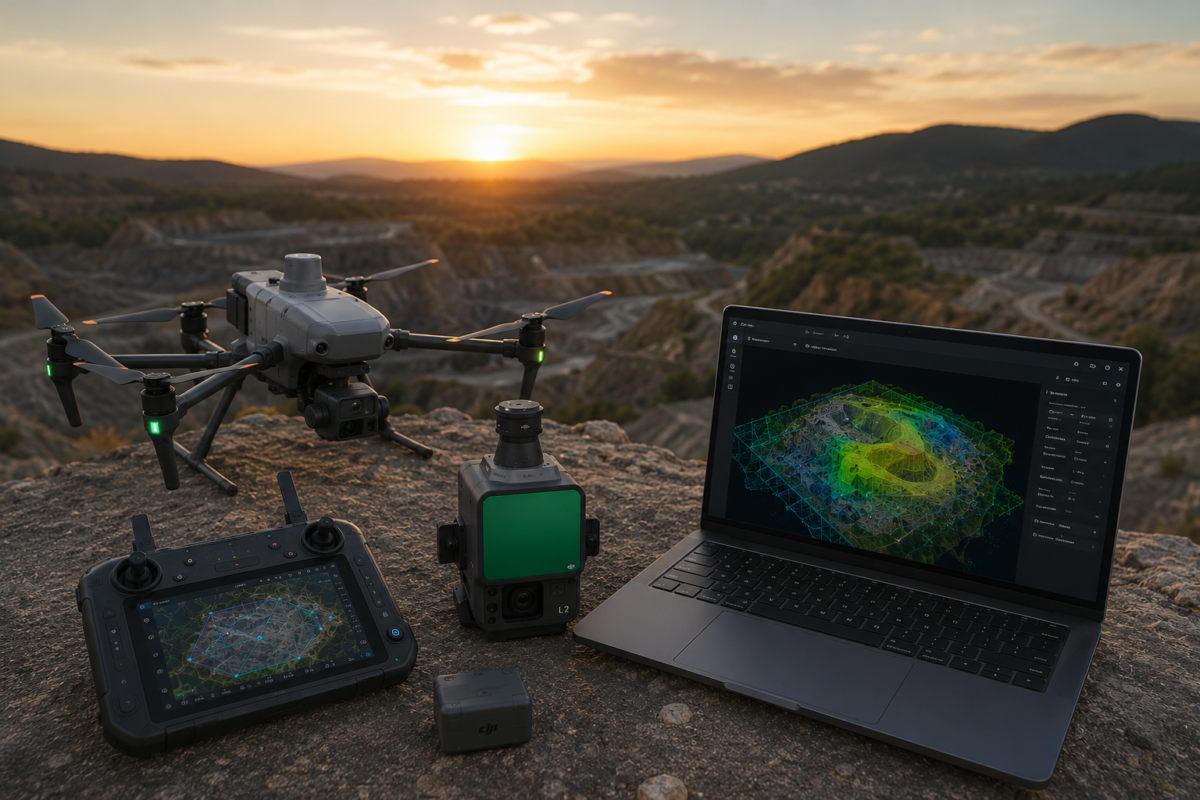
The DJI Matrice 4E is one of the most important compact enterprise drones for professional mapping, surveying, construction and mining workflows. Designed specifically for geospatial applications, it combines a mapping-oriented camera system, mechanical shutter, RTK capability and intelligent flight features in a portable platform. When paired with DJI Terra, the Matrice 4E becomes a powerful end-to-end solution for turning aerial data into accurate 2D maps, 3D models and professional drone mapping deliverables.
For drone mapping professionals, the value of a drone is not only in the aircraft itself. The real value comes from the complete workflow: flight planning, image capture, georeferencing, reconstruction, quality control and final export. This is why DJI Terra matters so much for Matrice 4E users. The drone captures the data, while DJI Terra processes that data into usable digital outputs for surveying, construction, infrastructure, mining, land development and GIS workflows.
In 2026, DJI Terra is more than a basic drone mapping tool. DJI describes Terra as 3D modeling software equipped with next-generation reconstruction technologies, including 3D Gaussian Splatting. It supports accurate and efficient 2D and 3D reconstruction from visible-light imagery and can process data collected by DJI LiDAR systems. When integrated with DJI drones, DJI Terra delivers a unified hardware and software solution for aerial surveying workflows.
In this guide, we explain why DJI Terra matters for Matrice 4E users, how the workflow works, what outputs professionals can generate and why this combination is especially relevant for modern drone mapping.
What Is DJI Matrice 4E?
DJI Matrice 4E is part of the DJI Matrice 4 Series, a compact enterprise drone lineup designed for professional operations. While the Matrice 4T is oriented toward public safety, emergency response, electricity and inspection-related missions, the Matrice 4E is designed for geospatial applications such as surveying, mapping, construction and mining.
The key feature that makes Matrice 4E important for mapping is its wide-angle camera. According to DJI’s official specifications, the Matrice 4E includes a 4/3 CMOS wide-angle camera with 20 MP effective pixels, adjustable aperture and mechanical shutter. The mechanical shutter is particularly important for mapping because it helps reduce rolling shutter distortion during fast image capture.
DJI also lists a minimum photo interval of 0.5 seconds for Matrice 4E. This is valuable for efficient mapping missions because the drone can capture images quickly while maintaining the overlap needed for photogrammetry.
What Is DJI Terra?
DJI Terra is DJI’s professional software platform for drone mapping, 2D reconstruction, 3D reconstruction, LiDAR point cloud processing and advanced 3D visualization. It is designed to work closely with DJI Enterprise drones and payloads, creating a more integrated workflow from data capture to final output.
For Matrice 4E users, DJI Terra is the processing environment where captured images become deliverables such as orthomosaics, 3D models, point clouds, digital surface models and other mapping outputs.
Instead of treating drone capture and data processing as separate tasks, DJI Terra helps connect them into a single DJI-centered workflow. This can reduce complexity for professionals who want a practical mapping solution rather than a disconnected mix of flight, processing and export tools.
Why Matrice 4E and DJI Terra Work Well Together
The Matrice 4E and DJI Terra combination matters because it connects a mapping-specific drone with a reconstruction platform designed for DJI data. The aircraft is built to capture geospatial imagery efficiently, while Terra is built to process that imagery into professional outputs.
This integration can be especially useful for teams that need repeatable workflows. Surveyors, construction companies and mapping service providers often need to process similar projects again and again. A standardized hardware and software workflow helps reduce errors, simplify training and improve production consistency.
DJI officially states that Matrice 4E, paired with DJI Terra, can generate accurate 2D and 3D models with a significant reduction in ground control points. DJI also highlights field-work efficiency, stating that the Matrice 4E can cover 2 km² per flight while delivering a 5 cm GSD in land survey workflows.
Main Benefits for Professional Drone Mapping
1. Mechanical Shutter for Mapping Accuracy
One of the most important advantages of Matrice 4E is its mechanical shutter on the wide-angle camera. In drone mapping, image geometry matters. If the camera uses only an electronic rolling shutter, fast movement can create image distortion that may affect reconstruction quality.
A mechanical shutter helps capture images more consistently during flight. This is especially useful for mapping missions where the drone moves quickly and captures hundreds or thousands of overlapping photos.
For professional mapping, this can improve the reliability of image alignment and support cleaner reconstruction results in DJI Terra.
2. Fast Image Capture with 0.5-Second Interval
DJI’s official specifications list a minimum photo interval of 0.5 seconds for the Matrice 4E. This is important because mapping productivity depends on how efficiently the drone can capture enough images with proper overlap.
A faster capture interval can allow efficient flight speeds while maintaining image overlap. This helps reduce flight time and improve field productivity, especially on large mapping projects.
For construction sites, quarries, land surveys and infrastructure corridors, saving time in the field can directly improve project efficiency.
3. RTK Workflow for Geospatial Accuracy
Professional drone mapping often requires accurate georeferencing. Matrice 4E is designed for enterprise mapping workflows and can be used with RTK positioning to improve geospatial accuracy.
When paired with DJI Terra, RTK data can support more accurate image positioning and reconstruction. For many projects, this can reduce the number of ground control points required, although checkpoints are still recommended for accuracy validation.
Surveyors should remember that RTK does not eliminate the need for quality control. If the output will be used for measurement, engineering or survey-grade deliverables, accuracy should always be checked with independent control or checkpoints.
4. Efficient 2D Map Production
One of the most common uses of Matrice 4E with DJI Terra is 2D mapping. The drone captures overlapping nadir images, and DJI Terra processes them into an orthomosaic.
Orthomosaics are useful for:
- Land surveying
- Construction progress monitoring
- Mining and quarry documentation
- Road and infrastructure mapping
- Environmental monitoring
- Site planning and GIS workflows
For professionals who need regular site documentation, Matrice 4E and DJI Terra can provide a fast and repeatable 2D mapping workflow.
5. Professional 3D Reconstruction
Matrice 4E is not only useful for 2D maps. With the correct image capture strategy, it can also support 3D reconstruction in DJI Terra. This is useful for buildings, construction sites, industrial areas, quarries, terrain, infrastructure and digital twin-style workflows.
For high-quality 3D models, flight planning matters. Nadir images are useful for top-down mapping, but oblique images are important for facades, vertical structures and complex objects. A good 3D mission should capture the scene from multiple angles.
DJI Terra can then process the images into 3D outputs that help teams visualize and analyze the project area.
6. Compact Enterprise Workflow
Another major advantage of Matrice 4E is portability. Compared with larger enterprise platforms, the Matrice 4E provides a compact mapping solution that can be deployed quickly by small teams or single-pilot operations.
This matters for professional drone mapping because many projects require fast deployment. A surveyor may need to map a construction site in the morning, inspect a quarry in the afternoon and process the data in the office later the same day.
A compact drone paired with DJI Terra can make this type of workflow more practical and efficient.
Typical DJI Terra Outputs from Matrice 4E Data
| Output | Purpose | Best Use Case |
|---|---|---|
| Orthomosaic | Georeferenced 2D map | Surveying, construction, GIS, land documentation |
| 3D Model | Visual and spatial reconstruction | Buildings, construction sites, quarries, infrastructure |
| Point Cloud | 3D spatial representation | Surveying, inspection, terrain analysis, digital twins |
| DSM | Surface model including objects | Site analysis, terrain context, construction planning |
| Contour / Terrain Outputs | Terrain interpretation | Engineering, earthworks, site planning |
| 3D Visualization | Client-friendly model presentation | Real estate, construction reporting, stakeholder communication |
Best Use Cases for DJI Terra and Matrice 4E
1. Land Surveying
The Matrice 4E is designed for geospatial work, making it a strong option for land survey applications. DJI Terra can process the captured images into maps, models and other outputs that support survey documentation.
For professional survey work, ground control points or checkpoints should be used where required. The Matrice 4E and DJI Terra can improve field efficiency, but proper validation remains essential.
2. Construction Progress Monitoring
Construction companies can use Matrice 4E to capture regular aerial data and DJI Terra to create updated orthomosaics and 3D models. This helps project managers document progress, compare site changes and communicate with clients or contractors.
Repeated missions can create a timeline of site development, making drone mapping a useful reporting tool.
3. Mining and Quarry Mapping
DJI specifically identifies Matrice 4E as suitable for geospatial applications including mining. Quarries and mining sites benefit from frequent aerial mapping because terrain, stockpiles and excavation areas change regularly.
DJI Terra can help process drone imagery into useful outputs for monitoring, planning and documentation.
4. Infrastructure Mapping
Roads, railways, bridges, industrial sites and utility corridors can benefit from Matrice 4E mapping workflows. The drone can capture detailed aerial imagery, while DJI Terra can generate 2D and 3D outputs for analysis and documentation.
For infrastructure professionals, the value is not only visual. Updated maps and models can support planning, inspection and communication.
5. Real Estate and Land Development
Matrice 4E and DJI Terra can also be useful for land development and real estate projects. Developers can create 3D site models, visual presentations and updated maps of project areas.
This is especially useful for large properties, industrial parks, construction-ready land and commercial development sites.
6. Digital Twin Workflows
As digital twin workflows become more common, drone data is increasingly used to create updated visual and spatial records of physical sites. Matrice 4E can capture the data, while DJI Terra can create the reconstruction outputs.
For digital twin applications, DJI Terra outputs may be used alongside CAD, GIS, BIM or asset management platforms.
Recommended Workflow: From Flight to DJI Terra Output
Step 1: Define the Project Goal
Before flying, define the required deliverable. Do you need a 2D orthomosaic, 3D model, point cloud, DSM, terrain documentation or visual presentation? The final output determines how the flight should be planned.
Step 2: Plan the Flight Mission
For 2D maps, a nadir grid mission is usually appropriate. For 3D reconstruction, include oblique images and multiple viewing angles. Good overlap is essential for reliable reconstruction.
Step 3: Capture Data with Matrice 4E
Use the Matrice 4E to capture high-quality images with proper overlap, sharpness and exposure. The mechanical shutter and fast photo interval can support efficient mapping capture.
Step 4: Import Images into DJI Terra
Transfer the captured imagery to your workstation and import it into DJI Terra. Create the correct project type based on your intended output.
Step 5: Process the Reconstruction
Run the reconstruction in DJI Terra. Depending on your project, this may generate a 2D map, 3D model, point cloud or other deliverables.
Step 6: Check Accuracy and Quality
Review alignment, image coverage, model quality and georeferencing. Use checkpoints where accuracy matters.
Step 7: Export Deliverables
Export the required outputs for GIS, CAD, reports, client presentations or internal project documentation.
Why DJI Terra Matters More Than Generic Mapping Software for Matrice 4E
Generic photogrammetry software can process many drone datasets, but DJI Terra has an important advantage for Matrice 4E users: ecosystem alignment. DJI Terra is designed to work with DJI drones and DJI workflows, which can make the process more straightforward for teams standardized on DJI hardware.
For professional users, workflow efficiency matters. The faster and more consistently a team can move from flight to output, the more valuable the drone system becomes.
This does not mean DJI Terra is the only option. Some users may still use other photogrammetry platforms for highly specialized workflows. However, for many DJI Enterprise users, Terra is the most natural starting point for Matrice 4E mapping projects.
DJI Terra Standard or Flagship for Matrice 4E?
The right DJI Terra license depends on the workflow. DJI Terra Standard may be enough for many users focused on standard 2D mapping and regular 3D reconstruction. This can include construction documentation, land mapping and general site models.
DJI Terra Flagship is better for advanced users who need more complete functionality, including higher-level 3D workflows, LiDAR-related workflows, advanced visualization or enterprise project requirements.
Before purchasing, users should confirm the exact license features available in their region and make sure the selected DJI Terra version supports the required outputs.
Common Mistakes to Avoid
Even with a powerful drone and software workflow, mistakes can reduce output quality. Matrice 4E users should avoid the following:
- Flying with insufficient image overlap
- Using only nadir images for complex 3D models
- Ignoring lighting and shadow conditions
- Expecting survey-grade accuracy without validation
- Not checking RTK status before the mission
- Using the wrong coordinate system
- Not testing the workflow before client delivery
- Choosing a DJI Terra license without checking required features
The best results come from good mission planning, clean data capture and careful quality control.
Final Verdict
DJI Terra matters for Matrice 4E because it completes the professional drone mapping workflow. The Matrice 4E is designed to capture geospatial data efficiently, while DJI Terra processes that data into outputs that professionals can use for mapping, surveying, construction, mining, infrastructure and digital twin projects.
The combination is especially valuable because it offers a compact, integrated and efficient DJI-centered workflow. The Matrice 4E provides mapping-oriented hardware features such as a 4/3 CMOS 20 MP wide-angle camera, mechanical shutter and fast image capture. DJI Terra provides the reconstruction environment for transforming those images into maps, models and digital deliverables.
For professional drone mapping users, this combination can reduce workflow complexity, improve productivity and make it easier to deliver high-value outputs to clients. If your business already uses or plans to use DJI Enterprise drones, DJI Terra should be seriously considered as the main processing software for Matrice 4E projects.
Need help choosing the right DJI Terra license for Matrice 4E? Contact our team for professional guidance. We can help you compare DJI Terra Standard, Flagship, Agriculture, Cluster and DJI Modify options based on your drone model, project type, mapping workflow and required deliverables.
FAQ: DJI Terra for Matrice 4E
What is DJI Matrice 4E used for?
DJI Matrice 4E is designed for geospatial applications such as surveying, mapping, construction and mining. It is a compact enterprise drone optimized for professional mapping workflows.
Why is the mechanical shutter important on Matrice 4E?
The mechanical shutter helps reduce image distortion during fast mapping flights. This can improve image consistency and support more reliable photogrammetry processing in DJI Terra.
Can DJI Terra process Matrice 4E images?
Yes. DJI Terra is designed to support DJI drone mapping workflows and can process visible-light imagery for 2D and 3D reconstruction. It is commonly used with DJI Enterprise drones such as Matrice 4E.
What outputs can DJI Terra generate from Matrice 4E data?
Depending on the license and workflow, DJI Terra can generate outputs such as orthomosaics, 3D models, point clouds, DSMs, terrain-related outputs and visual reconstructions.
Is Matrice 4E good for surveying?
Yes. DJI identifies Matrice 4E as suitable for surveying and mapping. Its mechanical shutter, RTK capability and mapping-oriented design make it useful for professional survey workflows.
Can Matrice 4E be used for construction mapping?
Yes. Matrice 4E can capture aerial data for construction sites, while DJI Terra can process that data into maps and 3D models for progress monitoring and reporting.
Do I still need ground control points with Matrice 4E and DJI Terra?
Ground control points may not always be required for every project, especially with RTK workflows, but checkpoints are strongly recommended when accuracy matters. Professional survey deliverables should always be validated.
Which DJI Terra license is best for Matrice 4E?
DJI Terra Standard may be enough for regular mapping and standard 3D reconstruction. DJI Terra Flagship or higher-tier packages may be needed for advanced 3D, LiDAR, Gaussian Splatting or enterprise workflows.
Can Matrice 4E create 3D models?
Yes. With proper image capture, including oblique imagery and sufficient overlap, Matrice 4E data can be processed in DJI Terra to create 3D models.
Is DJI Terra the only software for Matrice 4E?
No. Other photogrammetry software may also process drone imagery, but DJI Terra is the most integrated DJI-centered option for Matrice 4E workflows.


