

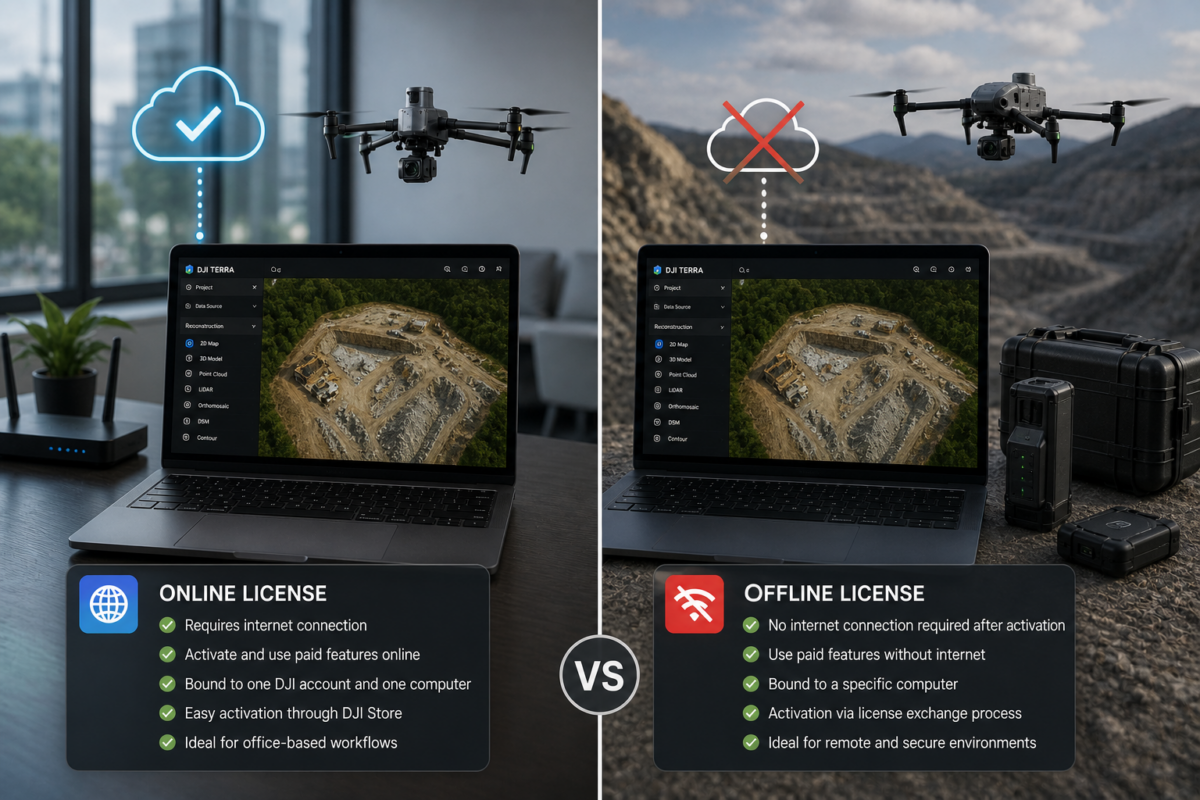
Choosing between a DJI Terra offline license and an online license is an important decision for companies using DJI Terra for drone mapping, surveying, construction, infrastructure inspection, LiDAR processing, agriculture or 3D reconstruction. The difference is not only about activation. It affects internet requirements, device binding, security policies, IT management, remote operations and long-term workflow planning.
For many individual users and small businesses, an online license may be the simplest option. It is easier to activate, commonly available through DJI Store, and suitable for offices with stable internet access. However, companies working in restricted environments, government projects, remote areas, industrial facilities or security-sensitive workflows may need an offline license.
According to DJI Store, only online licenses are available through the store, and users must ensure network connectivity when using the software. DJI also states that each online license can be bound to only one DJI account and one computer, and the account bound to a license cannot be changed. For other license types, such as offline or Education licenses, DJI recommends making a purchase inquiry through official channels.
In this guide, we compare DJI Terra offline vs online licenses, explain how they work, and help companies understand which option is better for their operational needs.
What Is DJI Terra?
DJI Terra is DJI’s professional software platform for drone mapping, 2D reconstruction, 3D reconstruction, LiDAR point cloud processing, multispectral workflows and advanced 3D visualization. It is commonly used with DJI Enterprise drones and payloads to transform aerial data into practical outputs such as orthomosaics, point clouds, 3D models, DSMs, DEMs and visual reconstructions.
For companies, DJI Terra is not just a mapping tool. It can become part of the production workflow for surveying departments, construction monitoring teams, infrastructure operators, mining companies, agricultural service providers and drone service businesses.
This is why licensing matters. If the license does not match the company’s operating environment, the software may create avoidable problems during production.
What Is a DJI Terra Online License?
A DJI Terra online license is a license that requires internet connectivity for activation and use of paid features. It is the license type currently sold through DJI Store for standard online purchase workflows.
DJI Store clearly states that only online licenses are available in DJI Store and that users should ensure network connectivity when using the software. The store also states that each online license can be bound to only one DJI account and one computer, and that the account bound to a license cannot be changed.
This makes the online license a convenient option for users who work in a normal office environment with stable internet access. It is especially suitable for small businesses, individual drone operators, consultants and companies without strict offline processing requirements.
Main Characteristics of DJI Terra Online License
- Available through DJI Store
- Requires network connectivity for paid features
- Bound to one DJI account and one computer
- Suitable for users with stable internet access
- Generally easier to activate than offline licensing
- Best for standard office-based processing workflows
What Is a DJI Terra Offline License?
A DJI Terra offline license is designed for users who need to use DJI Terra paid features without an internet connection after the license has been bound to the computer. DJI’s FAQ states that the online version requires a stable internet connection to use paid features, while the offline version can use paid features without internet after binding to a computer.
Offline licenses are especially important for companies operating in remote areas, secure facilities, government environments, defense-related projects, infrastructure sites or locations where internet access is not reliable or not permitted.
DJI support documentation indicates that offline license activation involves a license exchange workflow using a license request file, commonly referenced as a .WibuCmRaC file, and CodeMeter-related authorization procedures. This makes offline activation more technical than online activation, but it provides operational independence after setup.
Main Characteristics of DJI Terra Offline License
- Designed for use without internet after binding
- Suitable for restricted or remote environments
- Requires a more technical activation process
- Uses a license exchange workflow
- Generally purchased through DJI dealers or commercial inquiry
- Useful for companies with strict data security policies
DJI Terra Online vs Offline License: Quick Comparison
| Feature | Online License | Offline License |
|---|---|---|
| Internet Requirement | Requires stable internet connection for paid features | Can use paid features without internet after binding |
| Availability | Available through DJI Store | Usually requires dealer or purchase inquiry |
| Activation | Simpler online activation | More technical license exchange process |
| Device Binding | Bound to one DJI account and one computer according to DJI Store | Bound to a specific computer after offline activation |
| Best For | Office-based users with internet access | Remote, secure or restricted environments |
| IT Complexity | Lower | Higher |
| Data Security Fit | Good for normal business environments | Better for strict offline or isolated workflows |
| Ideal User | Freelancers, small companies, standard mapping teams | Government, enterprise, utilities, mining, defense-sensitive projects |
When an Online License Is the Best Choice
A DJI Terra online license is usually the best choice when the company has stable internet access and does not have strict offline processing requirements. It is easier to buy through DJI Store, easier to activate and simpler for everyday use.
This license type is ideal for users who process data in a standard office, studio or company workstation connected to the internet. For many drone service providers and mapping companies, this is enough.
Best Use Cases for Online License
- Small drone mapping businesses
- Construction companies with office-based processing
- Real estate drone service providers
- Agricultural mapping consultants with stable internet
- Surveying offices without strict offline requirements
- Training and demonstration environments
- Standard commercial mapping workflows
If your company has no problem keeping the processing workstation connected to the internet, the online license is usually the simplest and most practical option.
When an Offline License Is the Better Choice
A DJI Terra offline license is the better choice when internet connectivity is unreliable, unavailable or not allowed. This is common in remote field operations, government facilities, industrial security environments and projects involving sensitive geospatial data.
For example, a mining company may process data at a remote site with poor connectivity. A government agency may require all processing to happen on an isolated workstation. An infrastructure operator may have strict IT policies preventing software from connecting to external servers. In these cases, an offline license can be essential.
Best Use Cases for Offline License
- Remote survey operations
- Mining and quarry sites with limited internet
- Government or public safety projects
- Critical infrastructure inspection
- Utilities and energy companies
- Defense-sensitive or restricted environments
- Field teams working without stable connectivity
- Companies with strict data security policies
If internet access cannot be guaranteed or company policy requires offline software operation, the offline license is usually the safer choice.
Activation Differences
Online License Activation
Online license activation is generally more direct. Users activate the license through DJI Terra or DJI’s online activation system, then bind the license to the selected DJI account and computer. Once activated, the software can use paid features as long as the online requirements are met.
For companies, the important point is to choose the DJI account carefully. DJI Store states that the account bound to an online license cannot be changed. This means companies should avoid binding a business license to a personal employee account unless that is part of their internal policy.
Offline License Activation
Offline license activation is more technical. DJI support documentation describes a process involving CodeMeter software and generating a license request file, such as a .WibuCmRaC file. The user then completes a license exchange through DJI’s offline license system and imports the authorization license file into the target computer.
This process requires more care, but it allows the software to use paid features without internet once the license has been bound successfully.
Important IT Considerations for Companies
Companies should not treat DJI Terra licensing as a simple purchase decision. It should also be reviewed by operations and IT teams, especially in enterprise environments.
Before buying, companies should check:
- Which computer will run DJI Terra
- Whether the workstation has stable internet access
- Whether company policy allows software online activation
- Which DJI account will own the license
- Whether the license must be used in remote areas
- Whether data security policies require offline processing
- Whether the license needs to be online, offline, annual or perpetual
- Whether future hardware changes may require license management
These decisions should be made before activation, not after. Binding the wrong license to the wrong account or computer can create administrative problems.
Security and Data Policy Considerations
For many companies, the biggest reason to choose an offline license is not internet availability, but data policy. Drone mapping data can include sensitive information: infrastructure sites, industrial plants, government facilities, utility corridors, construction projects, mining operations or private property.
An offline workflow can help companies maintain stricter control over the processing environment. It allows paid DJI Terra features to be used without internet after activation, reducing dependency on external connectivity during production.
However, users should understand that an offline license does not automatically solve every cybersecurity requirement. Companies should still apply normal IT security practices, including workstation control, file access policies, backups, antivirus protection, encryption where required and secure data storage.
Operational Risks of Choosing the Wrong License
Choosing the wrong license type can create real operational problems.
If a company buys an online license but later needs to process data in an area without internet, paid features may not be available when needed. If a company buys an offline license but does not prepare the activation workflow correctly, setup may take longer than expected.
Common licensing mistakes include:
- Buying an online license for a remote field team with unreliable internet
- Binding the license to the wrong DJI account
- Installing the license on the wrong workstation
- Assuming online and offline licenses have the same activation workflow
- Not involving IT before purchase
- Not checking whether offline licensing is available in the region
- Not confirming whether the required DJI Terra version supports the needed features
Which License Should Your Company Choose?
| Company Situation | Recommended License | Reason |
|---|---|---|
| Office processing with stable internet | Online License | Simpler purchase and activation |
| Remote field processing | Offline License | Paid features can be used without internet after binding |
| Government or restricted environment | Offline License | Better fit for controlled IT policies |
| Small drone service provider | Online License | Usually sufficient and easier to manage |
| Mining or utility company | Offline License | Useful for remote sites and sensitive infrastructure data |
| Training or demo workstation | Online License | Easy to activate and manage with internet access |
| High-security industrial facility | Offline License | Allows operation without external network dependency |
Questions to Ask Before Buying
Before choosing between a DJI Terra online and offline license, companies should answer these questions:
- Will DJI Terra be used in an office or in the field?
- Will the processing computer always have internet access?
- Does our IT policy allow online license validation?
- Is the drone data sensitive or restricted?
- Who should own the DJI account linked to the license?
- Which computer should be bound to the license?
- Do we need annual, permanent, online, offline or education licensing?
- Do we need Standard, Flagship, Agriculture, Cluster or DJI Modify?
- Will the workstation be replaced or upgraded soon?
- Do we need help from a dealer to manage the license correctly?
Final Verdict
The difference between a DJI Terra offline license and an online license is important for companies. An online license is the simplest choice for users with stable internet access and standard office-based workflows. It is easier to purchase through DJI Store and easier to activate, but it requires network connectivity for paid features and is bound to one DJI account and one computer.
An offline license is better for companies that need to work without internet after activation, operate in remote areas, manage sensitive data or follow strict IT policies. It requires a more technical activation process, but it provides greater operational independence once bound to the workstation.
For most small businesses and normal office workflows, the online license may be enough. For government, utilities, mining, infrastructure, public safety, remote surveying and security-sensitive environments, the offline license is often the safer and more professional choice.
Need help choosing the right DJI Terra license for your company? Contact our team for professional guidance. We can help you compare DJI Terra online and offline licenses, Standard, Flagship, Agriculture, Cluster and DJI Modify options based on your workflow, IT policy, drone model and required outputs.
FAQ: DJI Terra Offline License vs Online License
What is the difference between DJI Terra online and offline licenses?
The online license requires internet connectivity for paid features, while the offline license can use paid features without internet after it has been bound to the computer.
Can I buy a DJI Terra offline license from DJI Store?
DJI Store states that only online licenses are available in DJI Store. Users who need offline or Education licenses should make a purchase inquiry through official channels.
Does the DJI Terra online license require internet?
Yes. DJI states that the online version requires a stable internet connection to use paid features.
Can DJI Terra offline license work without internet?
Yes. DJI states that after the offline version is bound to a computer, paid features can be used without an internet connection.
How many computers can use one DJI Terra online license?
DJI Store states that each online license can be bound to only one DJI account and one computer.
Can the DJI account bound to an online license be changed?
DJI Store states that the account bound to an online license cannot be changed, so companies should choose the account carefully before activation.
Who should choose a DJI Terra offline license?
Companies working in remote areas, secure facilities, government projects, infrastructure sites, mining operations or environments with restricted internet access should consider an offline license.
Who should choose a DJI Terra online license?
Users with stable internet access, small businesses, office-based processing teams and standard commercial drone mapping workflows can usually choose an online license.
Is offline licensing more difficult to activate?
Yes. Offline activation is generally more technical because it involves a license exchange workflow and authorization files. Companies should plan the activation process carefully.
Is offline license better for data security?
An offline license is often a better fit for strict data security policies because paid features can be used without internet after activation. However, companies still need proper cybersecurity, backup and data management procedures.


